
Agentic support for your hardest Service Cloud cases
Pebble resolves the 30% of cases that need real investigation, not a knowledge-base answer.
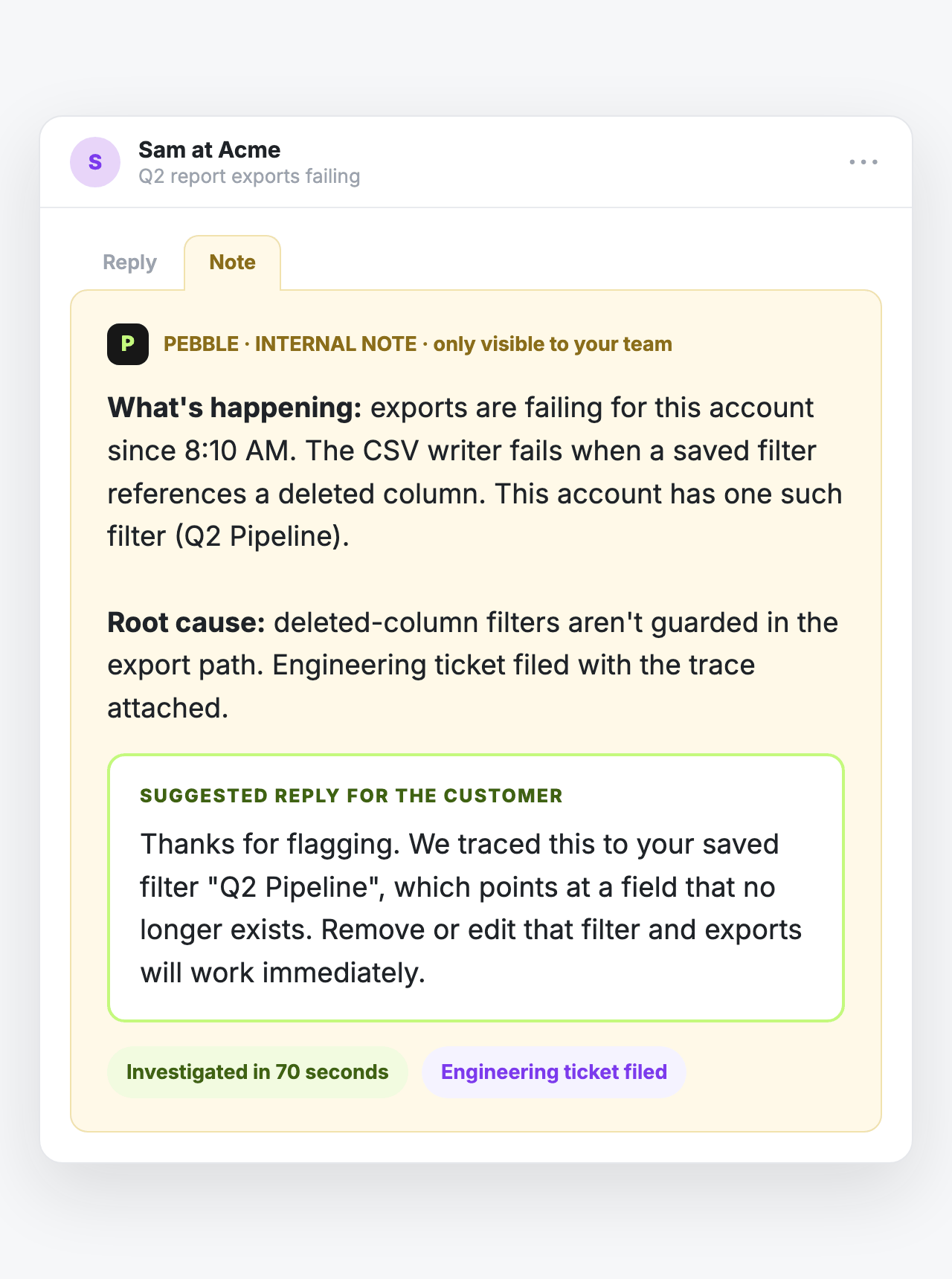
Pebble digs through your logs, database, and code, then posts the root cause as an internal Chatter note on the Case before your team even opens it. It even drafts the customer reply, ready to review and send.
It works the case like your best support engineer
When Pebble picks up a case it reads the thread, then investigates the systems where the answers live: your codebase, Sentry, Datadog, GCP and AWS logs, a read-only database connection, past cases, docs, and Slack history.
How it works in three steps
Step 1. Case comes in from your customer. Pebble gets to work, investigating across your systems.
Human-approved by default: nothing goes to a customer until your rep sends it
Pebble writes internal Chatter notes and updates its own status field. In Salesforce there is no customer-facing send path at all, not a setting you have to remember to leave off. The draft reply lives inside the internal note, and your rep reviews, edits, and sends it.
When Pebble can't resolve something, it says so. It posts an internal note with what it found and what it needs, or files a ticket, and never guesses.
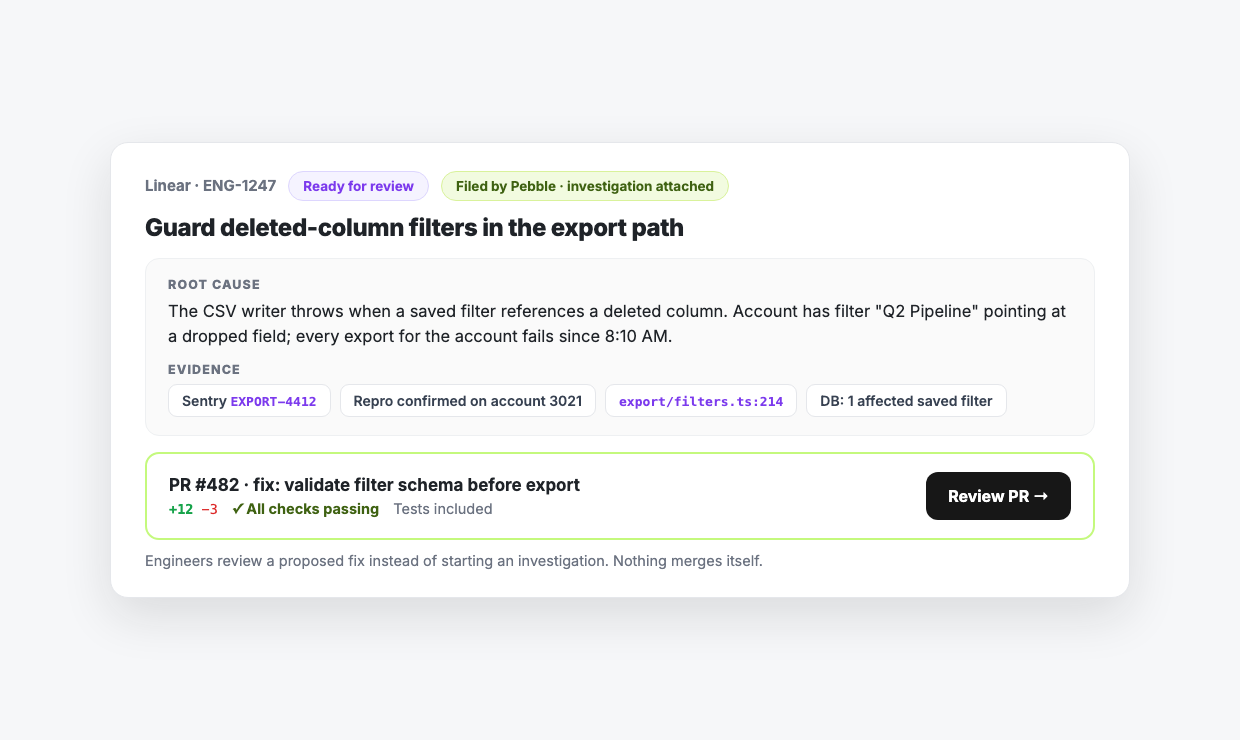
When it's really a bug, engineering gets the ticket with the investigation attached
Pebble files the Jira or Linear ticket, investigation attached, and opens a GitHub PR ready to review. Engineering starts from a proposed fix, not a one-line escalation.
How is Pebble different from Agentforce?
Agentforce deflects from your knowledge base. Pebble investigates your code and logs.
Agentforce resolves the cases your knowledge base already answers. Pebble works the ones it can't. It reads your code, logs, and database, then posts what it finds for your rep to approve. Getting Agentforce to do the same means a build project, with custom Apex actions, external callouts, and a Data Cloud pipeline to maintain. Pebble does it out of the box, and it works with or without Agentforce. Point your technical cases at Pebble and it takes them from there.
You decide which cases Pebble touches
Pebble does not barge into every case:
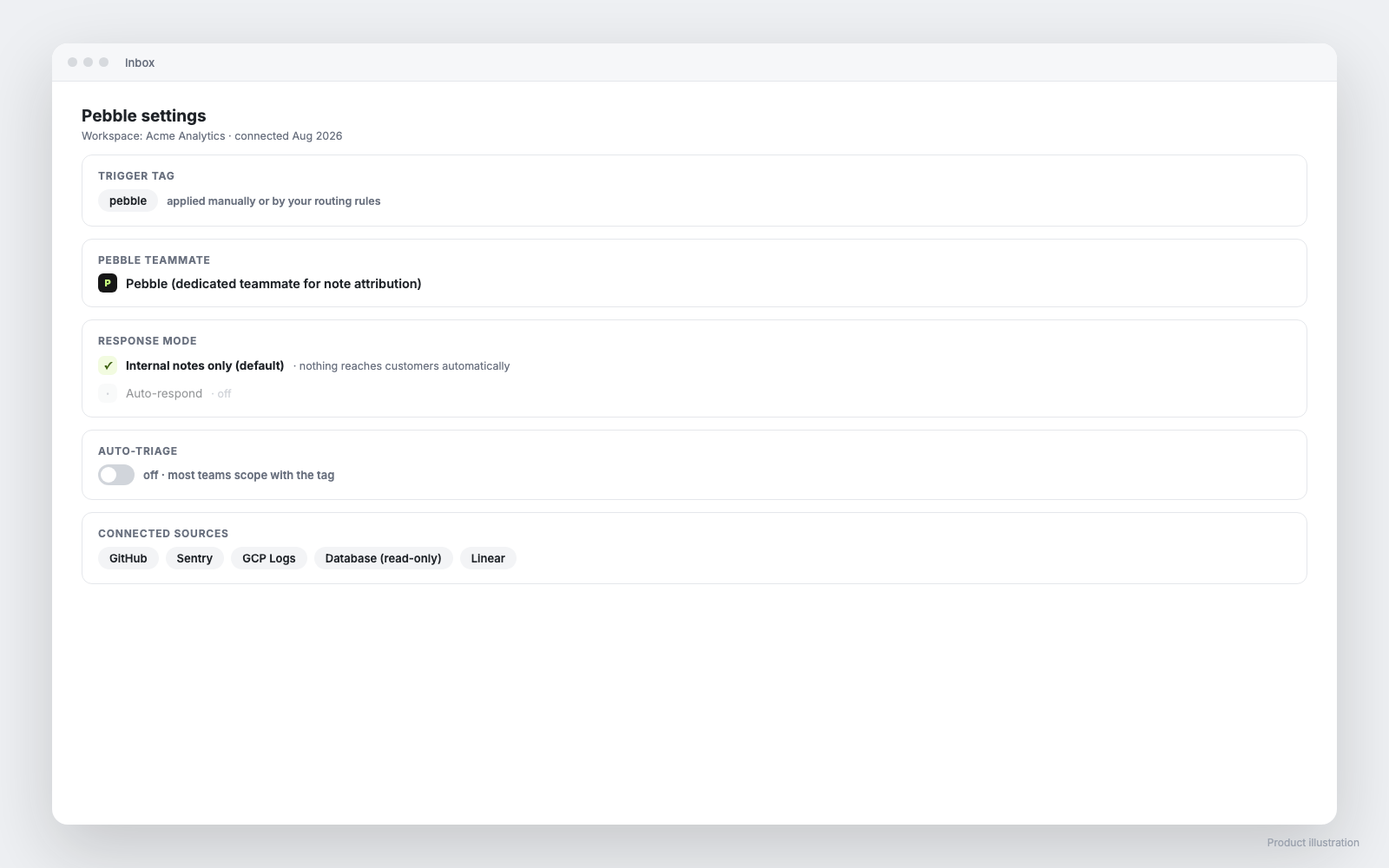
Setup: install the package, connect your sources, flag a case
- Install the Pebble package into your org, which brings the Pebble Status field and the Flow that fires on it
- Add Pebble Status to your Case page layout, and create a dedicated “Pebble” user for clean note attribution
- Connect the org to Pebble over OAuth. Production or sandbox, Pebble handles either
- Connect investigation sources: GitHub for code, Sentry, Datadog, CloudWatch or GCP for logs, a read-only database, your issue tracker
- Flag your first case
Flag one case to see what it does. The more sources connected, the deeper the investigations.
Common questions
Have more specific questions or want to see how it works?
Let's chat.